Instances
Every instance has its own game folder with mods, worlds and settings. Vanilla, Fabric, Quilt, Forge or NeoForge, any Minecraft version.
Pinecone is the Minecraft launcher of the TwoGG community. Instances, mods and modpacks in one place, plus TwoGG events, event packs and your friends, right in the launcher.
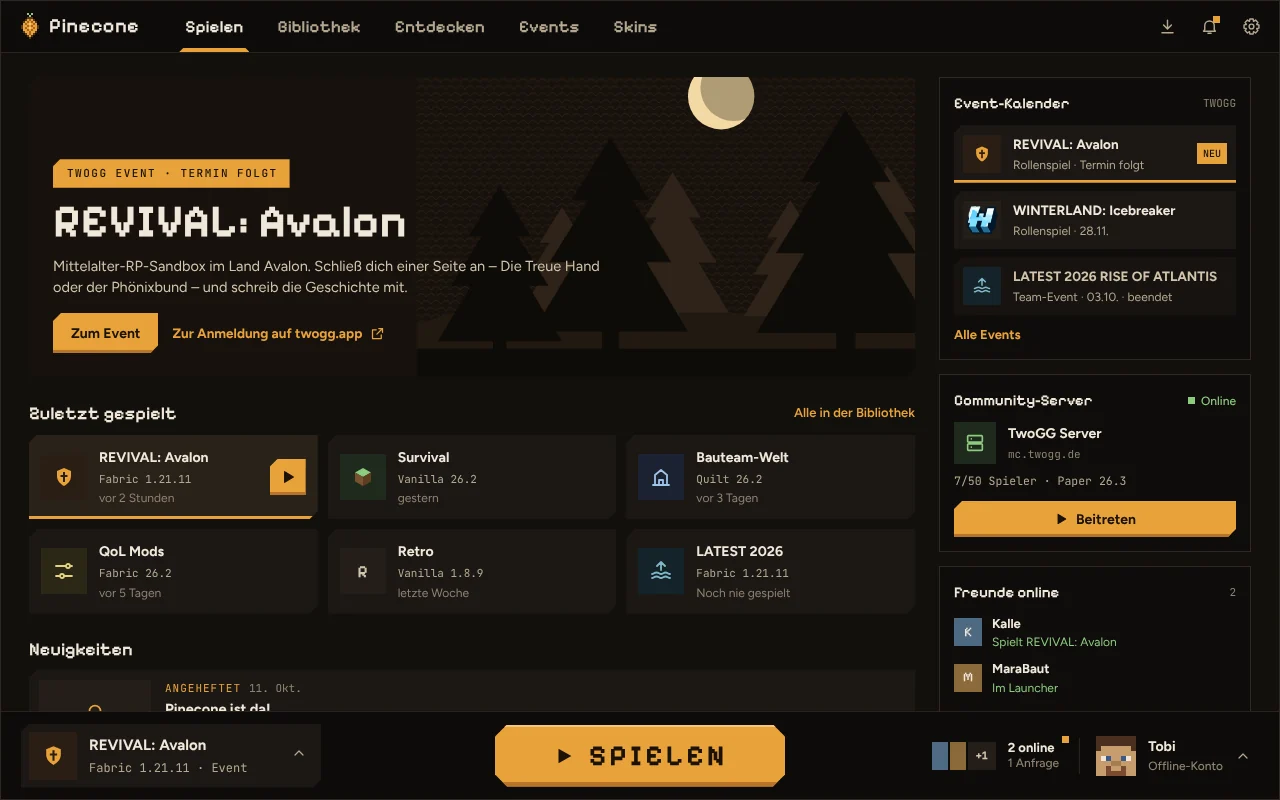
Pinecone takes care of versions, Java and downloads. You just decide what to play.
Every instance has its own game folder with mods, worlds and settings. Vanilla, Fabric, Quilt, Forge or NeoForge, any Minecraft version.
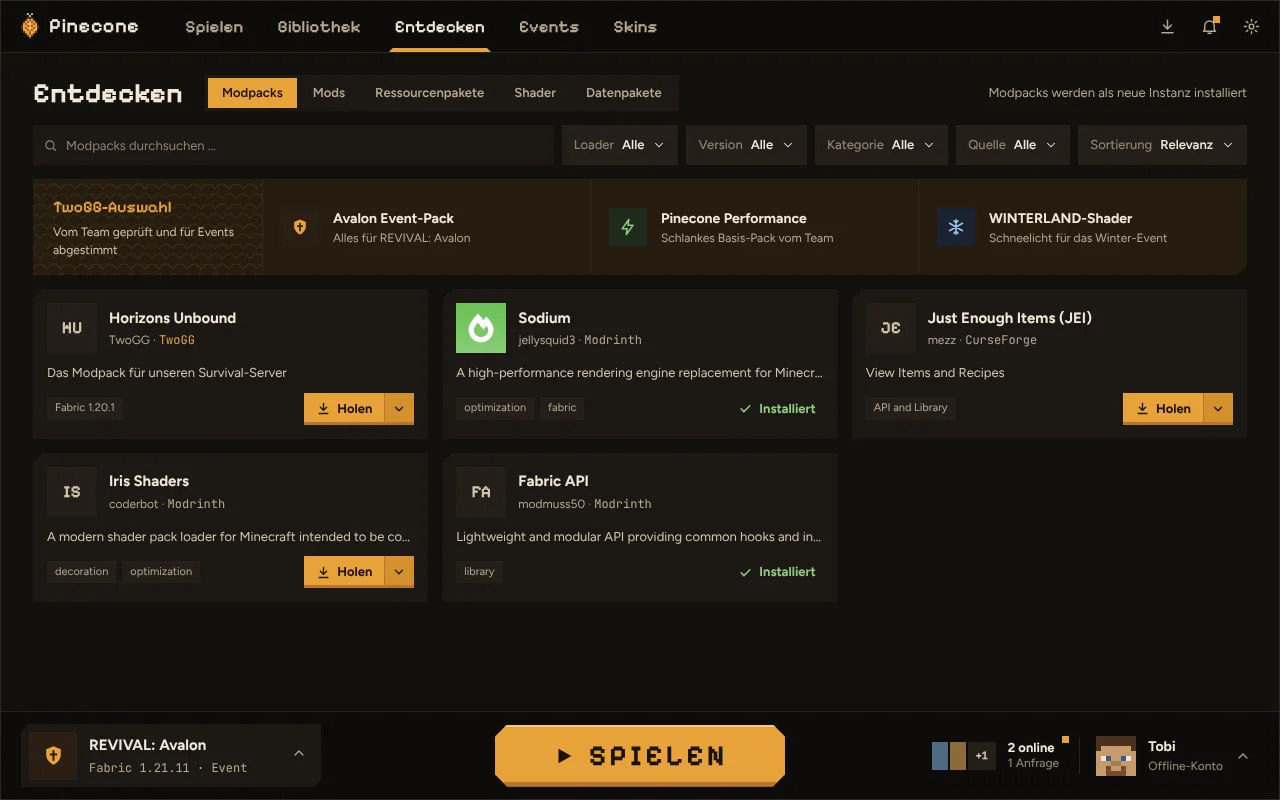
Browse modpacks, mods, resource packs, shaders and data packs and install them in one click, dependencies included.
Import from a file or link, updates with a backup first. Your own changes to configs and mods are kept.
Move an instance to another Minecraft version or loader. Pinecone finds the matching mods.
Create your own collections like “Basics” or “Shader setup” once and switch them on and off in any instance.
Skin library with 3D preview and editor. Set your account's skin and cape right from the launcher.
Back up and tidy up worlds, see servers with live status and join directly. Screenshots and logs per instance.
Three themes (Bark, Pine, Winterland), five accent colors, pixel headings and reduced motion if you prefer.
Sign in with your Microsoft account, tokens in your system's keychain. Signed updates, source code open on GitHub.
Pinecone is not a launcher that just happens to support TwoGG. The community's events, servers and curated content are built right in.
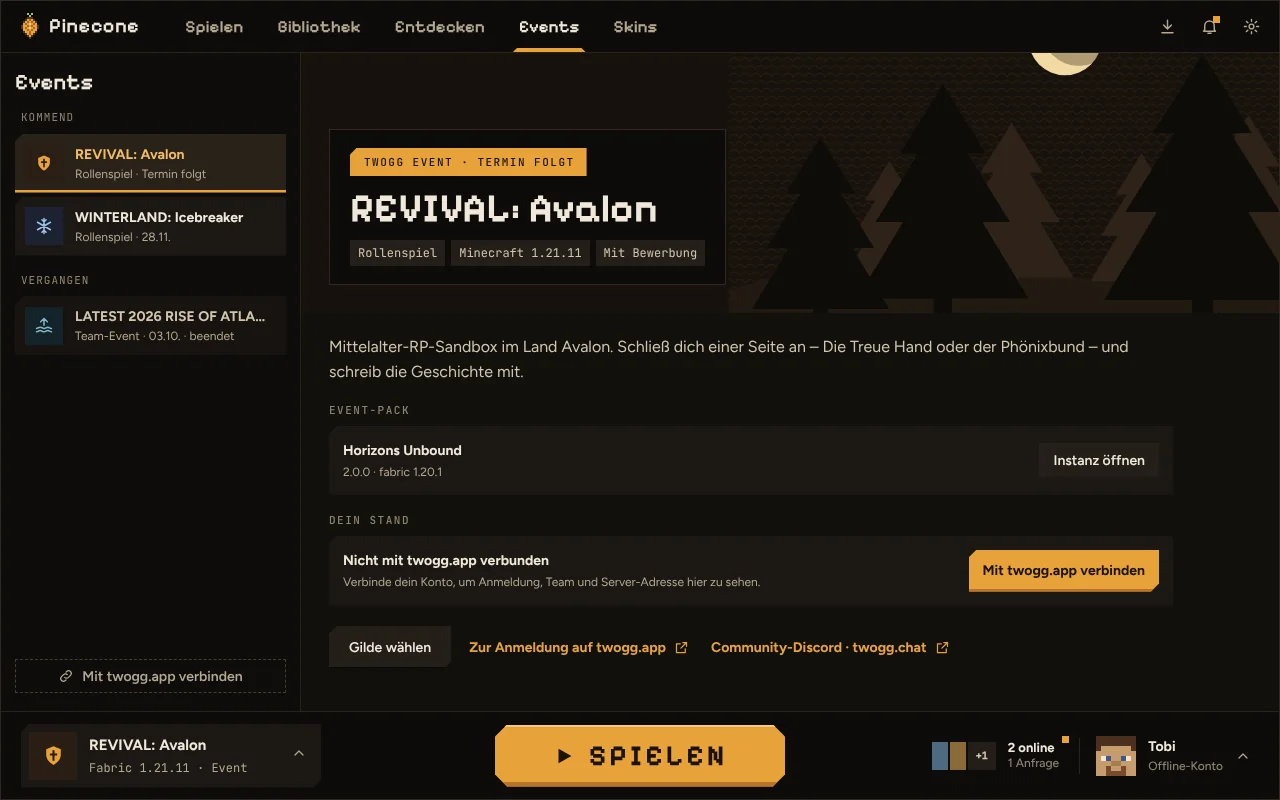
See the events from twogg.app in the launcher: dates, description, your registration.
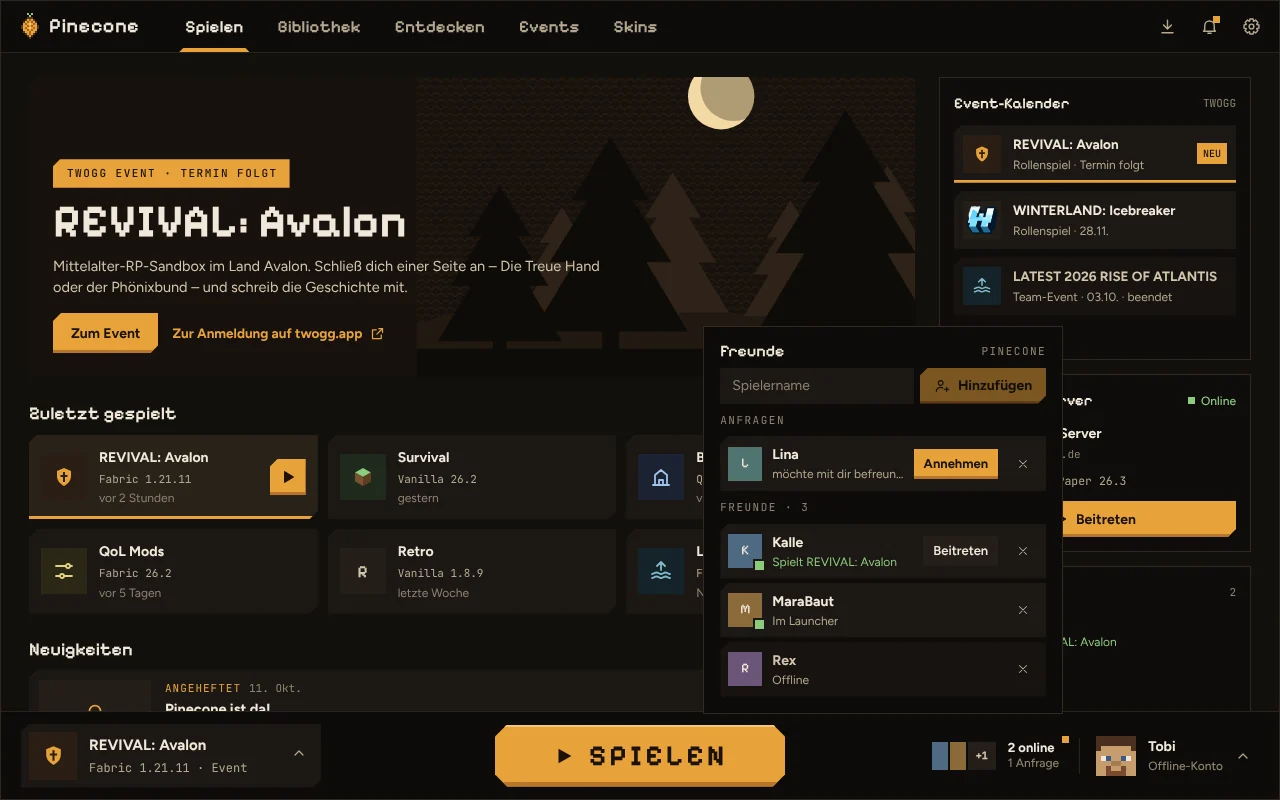
The Pinecone friends list uses your Minecraft account, so you don't need another account.
At the top of “Discover” you'll find the TwoGG team's picks: event packs, performance packs and shaders that fit our servers. TwoGG modpacks are only available through Pinecone.
Pinecone is in beta. Updates arrive automatically as soon as a new version is out.
x86_64. Needs WebKitGTK 4.1 (included in current distributions).
All versions and changes: GitHub Releases
The installer is not signed with a certificate yet. If Windows says “Windows protected your PC”, click “More info” and then “Run anyway”.
Make it executable after downloading: chmod +x Pinecone*.AppImage, then start it by double-clicking or from a terminal.
In Pinecone, go to Settings → General → “Help & diagnostics”, create a diagnostics ZIP and report it with a short description.
No. Pinecone is free and open source (MIT or Apache-2.0). You only need your own copy of Minecraft: Java Edition.
No. Your Microsoft account is enough to play. Connecting twogg.app is optional and shows your event registrations in the launcher. The friends list uses your Minecraft account.
Yes. Modrinth packs (.mrpack) and CurseForge packs (ZIP) can be imported, as can Modrinth links. You can export your own instances as .mrpack and share them.
Yes. Pinecone installs Forge and NeoForge with their official installers, including modpacks from Modrinth and CurseForge. Fabric and Quilt are supported too, of course.
Pinecone checks for new versions at startup and installs them when you agree. Updates are signed, and the launcher only installs packages from TwoGG.
On Windows in %APPDATA%\TwoGG\Pinecone, on Linux in ~/.local/share/twogg-pinecone. Pinecone keeps sign-in data in your system's keychain, not in files.